

Related Videos Data Plugin
org.opencast.paella.data.relatedVideosDataPlugin
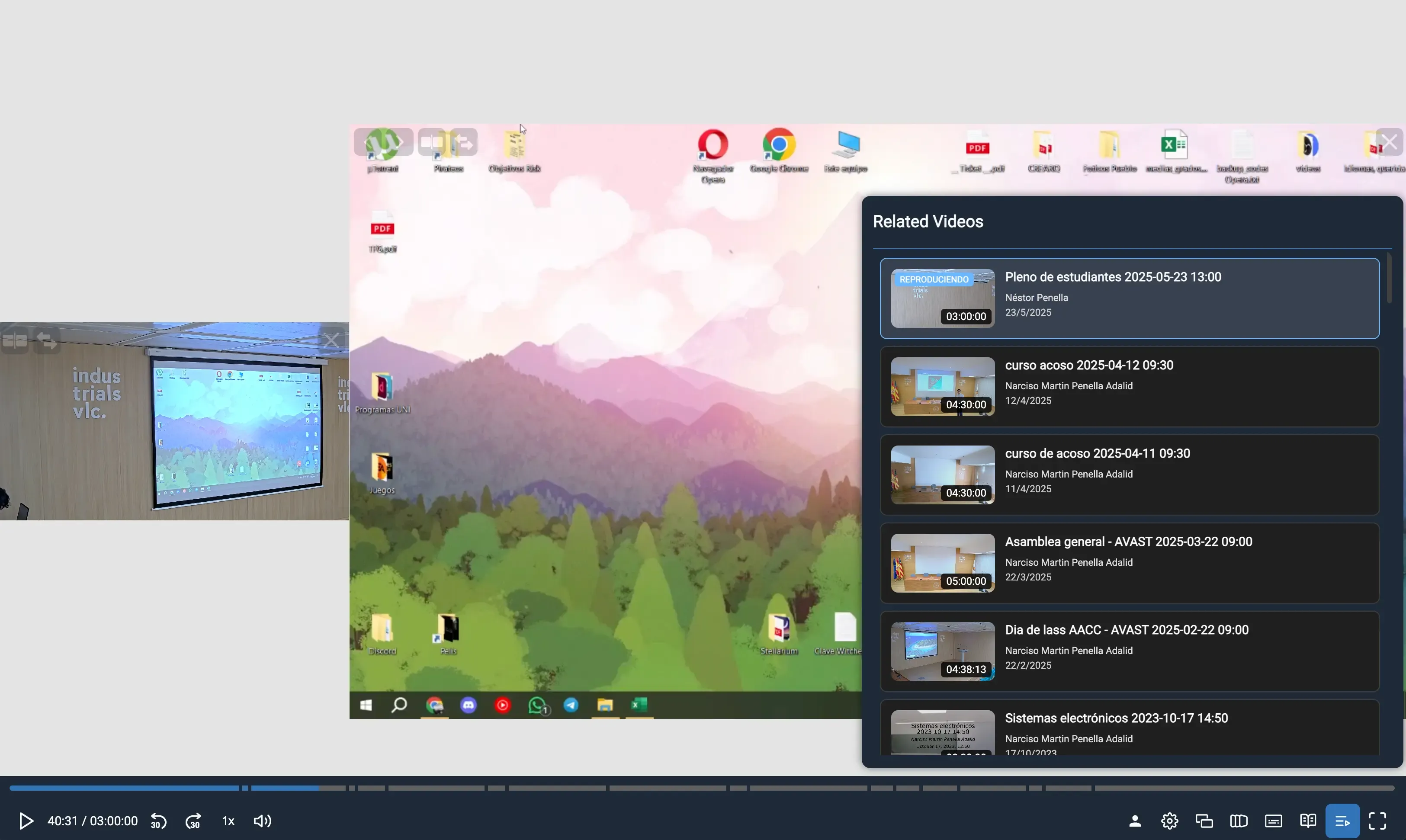
Section titled “org.opencast.paella.data.relatedVideosDataPlugin”This data plugin retrieves and provides access to videos related to the current video event. It searches for other videos in the same series using the Opencast Search API and makes them available to other plugins that need related video functionality.
Exported as OpencastRelatedVideosDataPlugin.
Configuration
Section titled “Configuration”You need to enable the org.opencast.paella.data.relatedVideosDataPlugin plugin and configure the search parameters.
{ "org.opencast.paella.data.relatedVideosDataPlugin": { "enabled": true, "maxCount": 5, "playerPreviewAttachmentsFlavours": ["presenter/search+preview", "presentation/search+preview"] }}Configuration parameters
Section titled “Configuration parameters”-
enabled: Enables or disables the plugin.- Valid values:
true/false
- Valid values:
-
maxCount: Maximum number of related videos to retrieve.- Default:
5 - Example:
10
- Default:
-
playerPreviewAttachmentsFlavours: Array of flavors to use for video preview images.- Example:
["presenter/search+preview", "presentation/search+preview"]
- Example:
Behavior
Section titled “Behavior”- Availability: Only works with the Opencast Paella Player
- Requirement: Requires an Opencast presentation URL to be configured
- Series dependency: Only works for videos that belong to a series
- Search scope: Searches within the same series as the current video
- Sorting: Results are sorted by creation date (newest first)
Data format
Section titled “Data format”The plugin returns a RelatedVideosDataResponse object with:
{ total: number; // Total number of related videos found skip: number; // Number of items skipped (always 0) limit: number; // Maximum number of items requested items: Array<{ id: string; // Video identifier title: string; // Video title previewUrl?: string;// Preview image URL (if available) presenter?: string; // Comma-separated list of presenters startDate?: Date; // Recording/publish date duration?: number; // Duration in seconds url: string; // Navigation URL to the video }>}Use cases
Section titled “Use cases”This plugin is typically used to:
- Show related lectures in the same course series
- Enable series navigation between videos
- Provide content recommendations based on series membership
- Create playlists of related educational content
Requirements
Section titled “Requirements”- Opencast presentation URL must be configured
- Videos must be organized in series
- Search API must be accessible
- Current video must have series metadata
Error handling
Section titled “Error handling”The plugin gracefully handles:
- Missing series: Returns empty results if video has no series
- API failures: Returns empty results if search fails
- Missing previews: Continues without preview images
- Network issues: Fails silently and returns empty results