

Getting Started
Paella Player For Opencast is a comprehensive video player integration for Opencast, built on top of Paella Player 8. This project provides packages and examples to integrate Paella Player with Opencast video management systems.
🚀 Features
Section titled “🚀 Features”- Modern Web Components: Built with web standards for easy integration
- Opencast Integration: Native support for Opencast APIs and workflows
- Modular Architecture: Pick and choose the components you need
- TypeScript Support: Full type safety and excellent developer experience
- Responsive Design: Optimized for desktop and mobile devices
- Plugin System: Extensible with custom plugins
- Accessibility: WCAG compliant video player
📦 Packages
Section titled “📦 Packages”This project contains the following packages:
Core Packages
Section titled “Core Packages”@asicupv/paella-opencast-core- Core functionality and utilities for Opencast integration@asicupv/paella-opencast-component- Web component wrapper for easy integration@asicupv/paella-opencast-plugins- Collection of Opencast-specific plugins@asicupv/paella-opencast-skin- Default styling and themes
Examples
Section titled “Examples”engage-paella-player- Complete Engage-style player implementationopencast-component-example- Simple web component usage examples
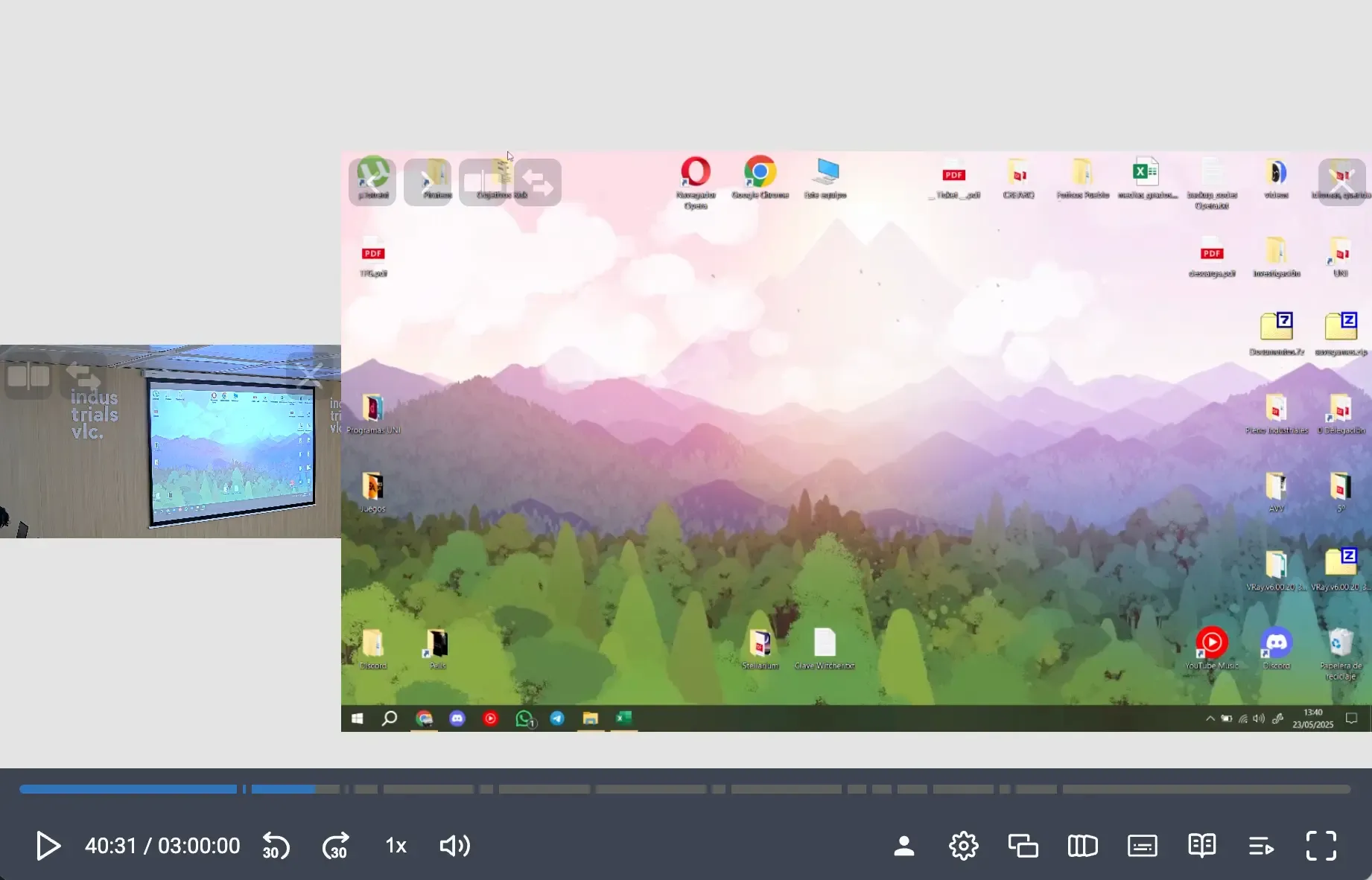
This video demonstrates the integration of Paella Player with Opencast, showcasing its features and capabilities. The video is hosted on stable opencast demo server.
🛠️ Requirements
Section titled “🛠️ Requirements”- Node.js: >= 22.0.0
- npm: >= 10.2.4
📖 Quick Start
Section titled “📖 Quick Start”Installation
Section titled “Installation”# Clone the repositorygit clone https://github.com/polimediaupv/paella-opencast.gitcd paella-opencast
# Install dependenciesnpm install
# Build all packagesnpm run buildDevelopment
Section titled “Development”# Start development modenpm run dev
# Start development for Engage player examplenpm run dev:engage🏗️ Project Structure
Section titled “🏗️ Project Structure”Directorypaella-opencast/
Directoryreference/ Core packages
Directorypaella-opencast-core/ Core functionality
- …
Directorypaella-opencast-component/ Web component
- …
Directorypaella-opencast-plugins/ Opencast plugins
- …
Directorypaella-opencast-skin/ Styling and themes
- …
Directoryexamples/ Usage examples
Directoryengage-paella-player/ Engage-style player
- …
Directoryopencast-component-example/ Component examples
- …
Directorydoc/ Documentation
- …
📚 Documentation
Section titled “📚 Documentation”- API Documentation: Available in the
doc/directory - Examples: Check the
examples/directory for working implementations - Paella Player 8 Docs: https://paellaplayer.webs.upv.es/
🤝 Contributing
Section titled “🤝 Contributing”- Fork the repository
- Create a feature branch:
git checkout -b feature/my-feature - Make your changes and add tests
- Run the test suite:
npm test - Commit your changes:
git commit -am 'Add new feature' - Push to the branch:
git push origin feature/my-feature - Submit a pull request
Development Guidelines
Section titled “Development Guidelines”- Follow TypeScript best practices
- Add tests for new functionality
- Update documentation as needed
- Ensure all components build successfully
🙏 Acknowledgments
Section titled “🙏 Acknowledgments”- Paella Player Team: For the excellent video player foundation
- Opencast Community: For the robust video management platform
- Universitat Politècnica de València: For sponsoring the development
🐛 Issues & Support
Section titled “🐛 Issues & Support”- Bug Reports: GitHub Issues
- Documentation: Paella Player 8 Website
Developed with ❤️ by ASIC - UPV